Platform Notifications keep you informed about events that happen across the PlainID Authorization Platform. Instead of checking the Platform for updates, you can receive notifications through the Platform's in-app inbox.
Notifications cover events such as changes to Policies, approvals, and other administrative activity that affects an Environment or Tenant.
Platform Notifications Settings can be enabled per user, allowing users to tailor which notifications they receive based on their relevance.
Note: Users are only notified about the Workspaces and Environments they have permissions to.
Each notification links back to the relevant object, so you can go directly from the notification to the screen where the event occurred and make modifications.
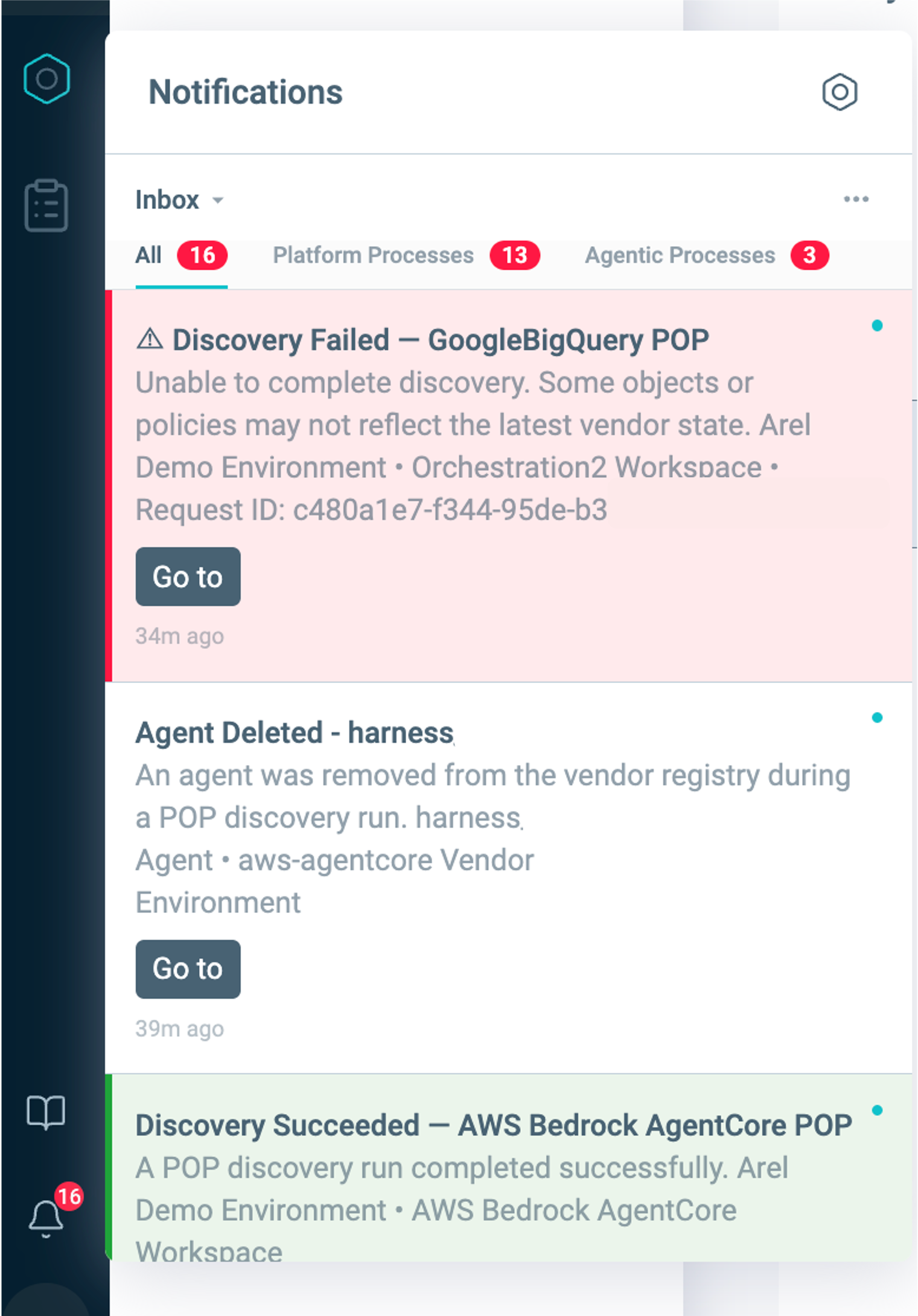
Platform Notifications Center
The Platform Notifications Center is your in-app inbox, available from the bell icon on the bottom of the Platform navigation bar. It shows a running list of your notifications, with the newest ones at the top.
From the Platform Notifications Center, you can:
- View the details of a notification, including what happened and when.
- Mark individual notifications, or all notifications, as read.
- Archive individual or all notifications
- Modify your Notification Center settings
Available notification events
| Event | Description |
|---|---|
| Discovery Success | A POP discovery run was completed successfully. |
| Discovery Failed | A POP discovery run has failed. |
| Policy Pending Deployment | Changes were made in the PlainID Authorization Workspace but have not yet been deployed to the vendor. |
| Vendor Changes Detected | A discovery run identified modifications to a policy on the vendor side. |
| Policy Deployment Failed | A policy deployment failed via API call or the Platform. |
| *AI Agent Registry | Agent Deleted from Vendor |
Discovery notifications apply to all supported POP integrations, which allow you to confirm that all related objects and policies are discovered as expected. A failure notification includes the Environment, Workspace, and a Request ID you can share with support when investigating events.
*AI Agent Registry notifications are available for Tenants with AI-tiers.
Enabling Platform Notifications
Notifications are off by default for your Tenant. Within a Tenant, each user chooses which Environment and Workspace notification types to turn on.
To enable or disable Platform notifications:
- Click the bell icon in the navigation bar to open the Notification Center.
- On the top right of the Notification Center panel, click the Settings icon.
- Under Delivery Channels, enable or disable the In-app and Email toggles.
To choose which notifications you receive: - Click the bell icon in the navigation bar to open the Notification Center.
- On the top right of the Notification Center panel, click the Settings icon.
- Turn on the notification types you want, such as Discovery Failed or Discovery Success.
- When you turn on a notification type, it applies to every Environment you have access to by default.
- When you enable a notification type, such as Discovery Failed, a button showing the number of affected Environments appears. Click the button and select or deselect the Environments you want to adjust notifications for.
.png)
PlainID evaluates your permissions when you log in. After any change to your Workspace access, sign out and back in to keep your available notifications up to date.
Supported Delivery Channels
The Platform supports two delivery channels for notifications. You can enable each one independently from the Notification Center settings.
In-app
In-app notifications appear in the Platform Notifications Center. This channel is always available, regardless of whether your account has an email address.
You can also choose to receive notifications by email. Each email includes a link to the relevant page in the Platform.
By default, the Platform sends notifications to the email address you use to log in. If you don't log in with an email address, or you want to receive notifications at a different address, your Tenant Admin can map an identity provider claim to the email address for notifications under Tenant Settings > Tenant IDP Settings > Tenant Notification Settings.
If no email address is available for your account, you continue to receive in-app notifications, but email notifications stay off until an address is available.