This example builds a complete Data Instructions setup for an Accounts API and tests it in both enforcement modes. The Policies decide two things:
- Which accounts a user gets. Israeli (IL) and Greek (GR) accounts are allowed, and Greek accounts are denied, so the example has both an allow tree and a deny tree.
- How each property is shown.
emailandbalanceare masked,customerIdshows its first 4 characters,internalNoteis removed,id,country, andaddress.cityare visible, andcardNumbershows its last 4 digits on US accounts only.
The Policies belong to an Application in your Policies Workspace, and the PDP call uses the client ID and secret of the Scope that serves it. The example applies the Policies to all users.
| Building block | In this example |
|---|---|
| Data object Asset Type | JsonAccounts |
| Masking catalog Asset Type | DataCatalog |
| Masking Actions | Mask, First4, Last4, Remove, Null, View |
| Row Policies | Accounts - allow IL and GR, Accounts - deny GR |
| Masking Policies | Accounts - mask PII, Accounts - last4 card for US |
Build the Setup
Step 1: Configure the Authorizer
Set the Data Instructions keys. The example starts in default mode; step 13 switches to deny by default.
pdpUrl: "https://<tenant>.us1.plainid.io"
assetType: "DataCatalog"
dataPropertyKey: "path"
leastPrivileges: false
functions: [md5, last4, mask_4, first, middle, last, edges]
Step 2: Create the Data Object Asset Type
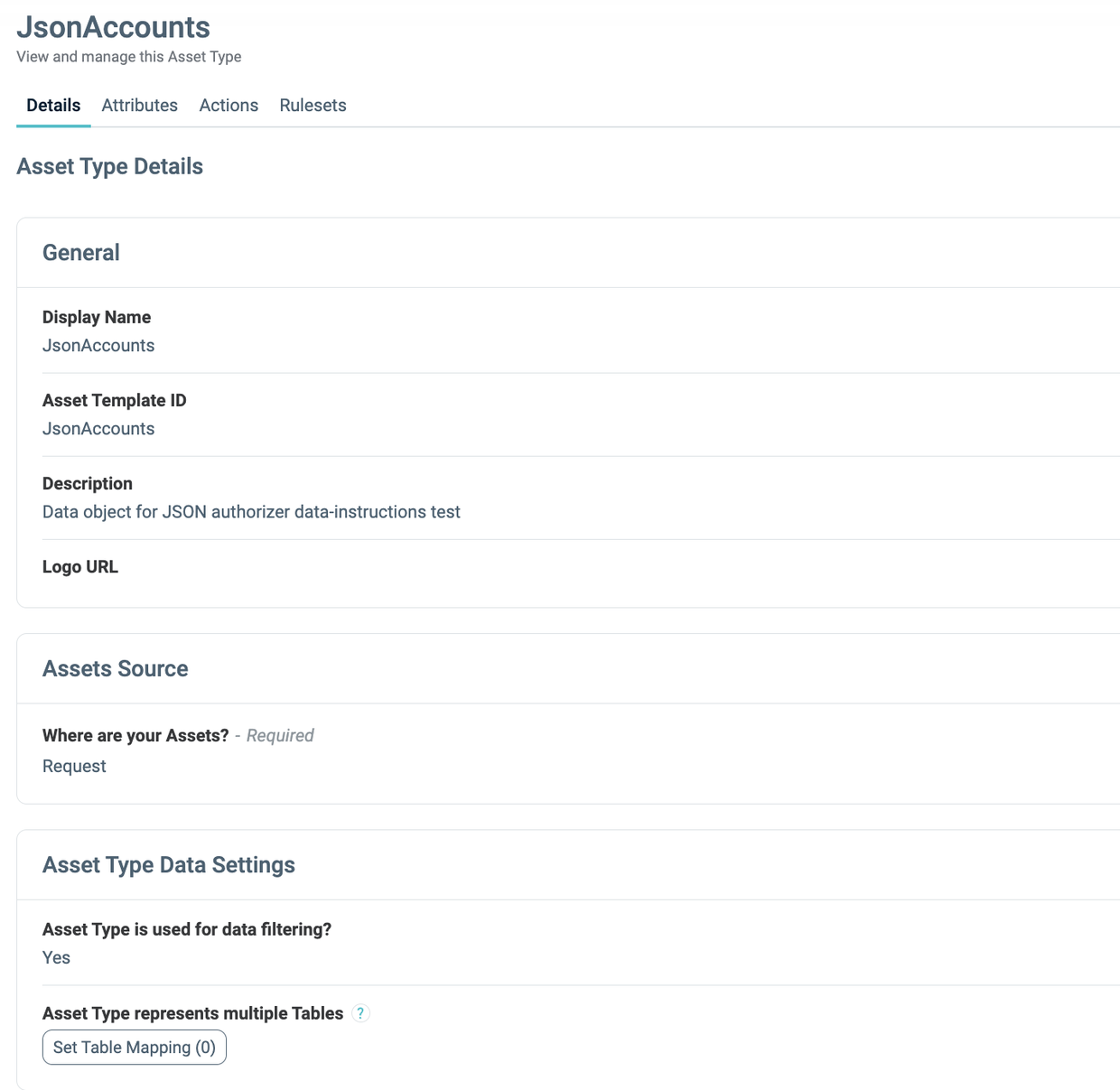
In the Policies Workspace, open Assets & Conditions and create the Asset Type:
| Field | Value |
|---|---|
| Asset Type ID / name | JsonAccounts |
| Where are your Assets? | Request |
| Asset Type is used for data filtering? | Yes |
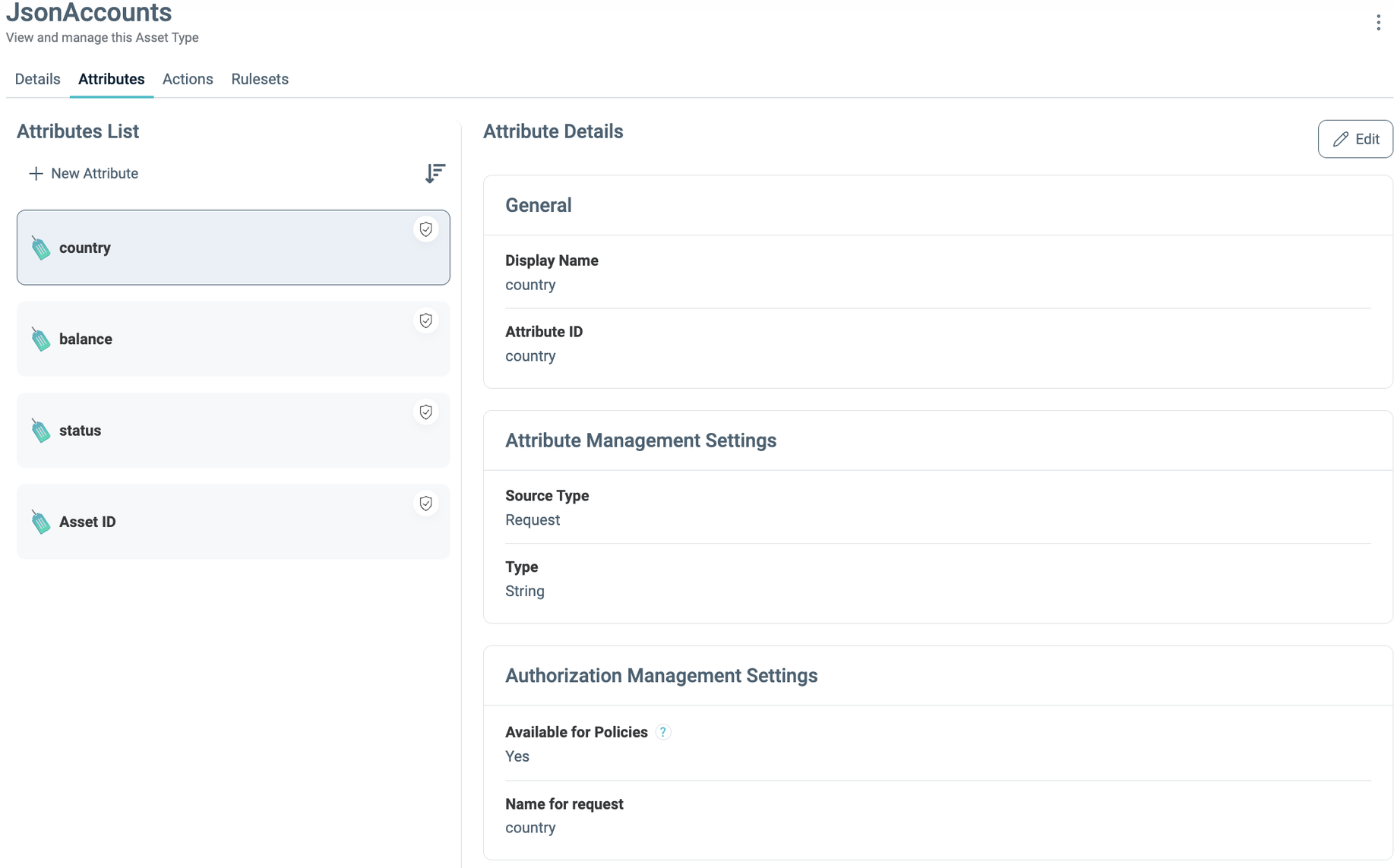
| Attributes | country (String), balance (Numeric), status (String), available for Policies |
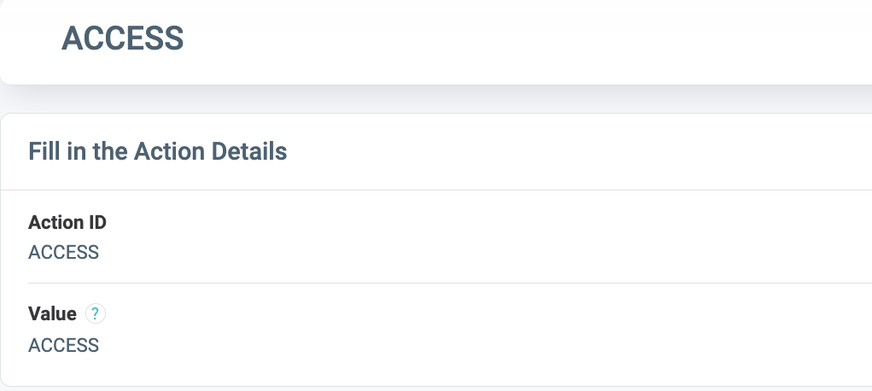
| Actions | ACCESS (value ACCESS) |
Step 3: Create the Masking Catalog Asset Type
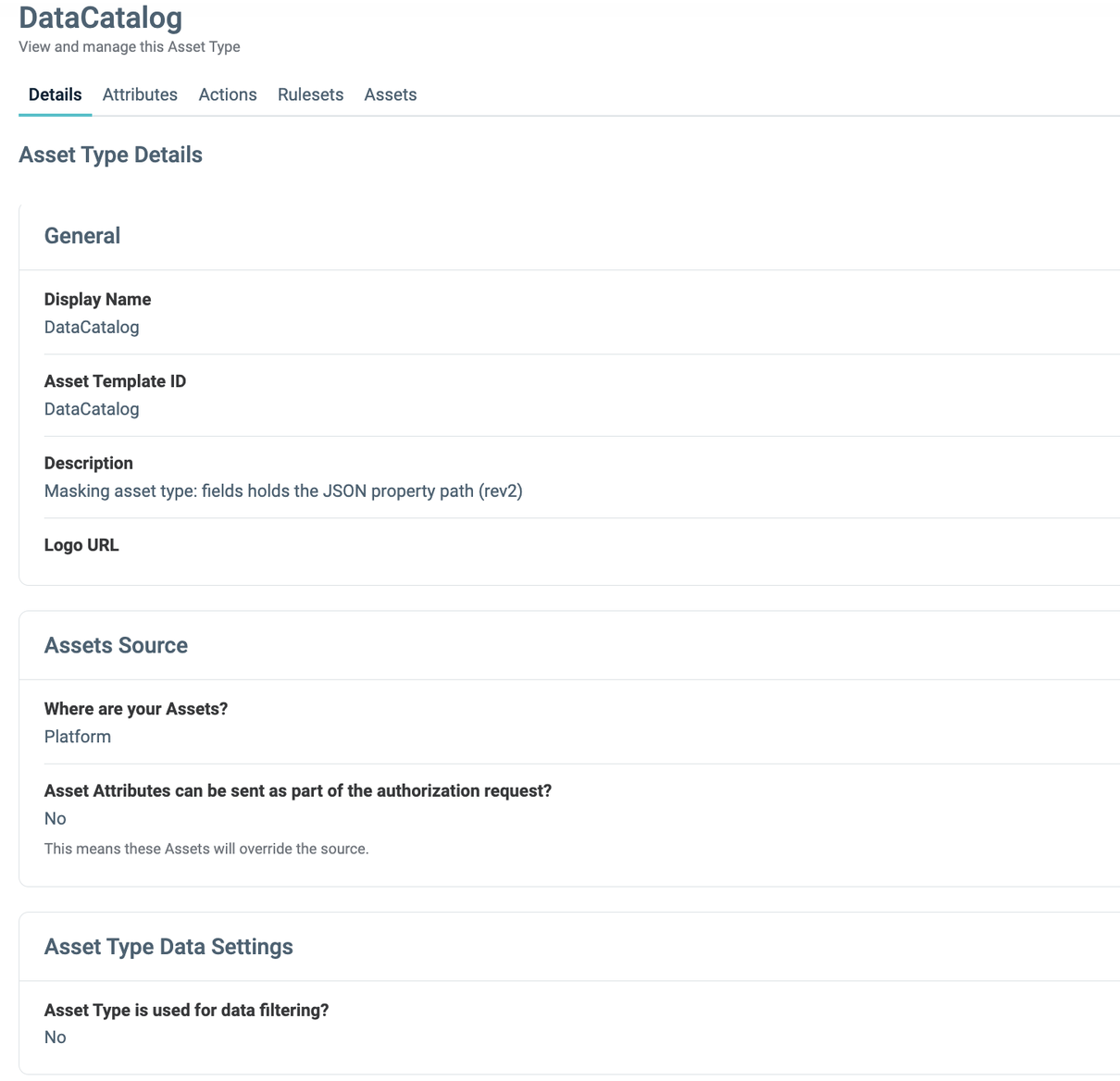
| Field | Value |
|---|---|
| Asset Type ID / name | DataCatalog, the value of assetType in step 1 |
| Where are your Assets? | Platform |
| Asset Type is used for data filtering? | No |
| Attributes | fields (String), which repeats the property path |
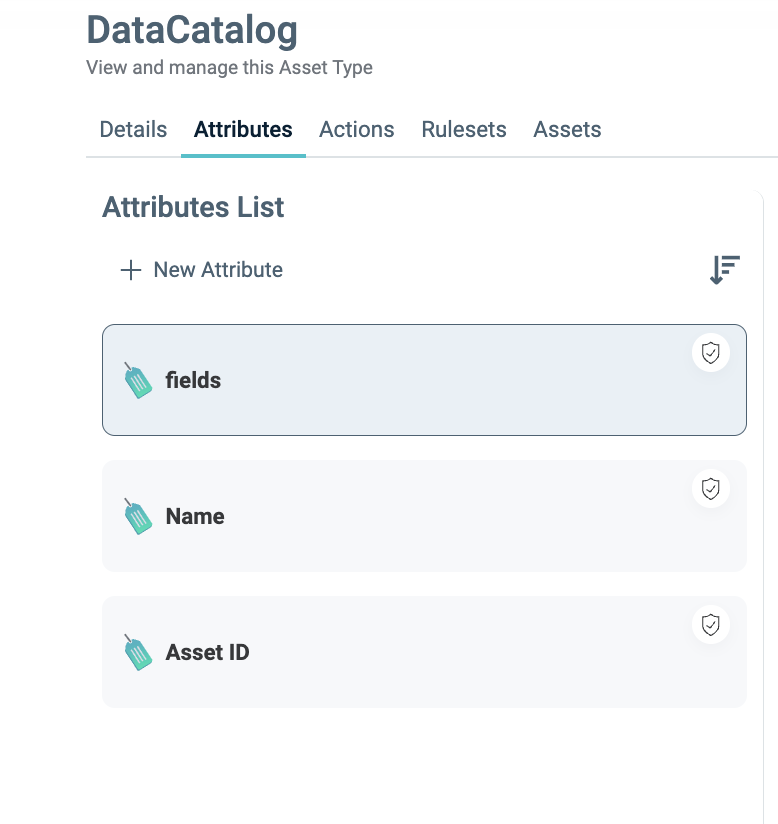
Add one Action per masking instruction that the Policies assign:
| Action ID | Value | Effect on the property |
|---|---|---|
Mask |
REPLACE::***::0 |
Becomes the string "***" |
First4 |
FUNCTION::first(4)::0 |
Keeps the first 4 characters |
Last4 |
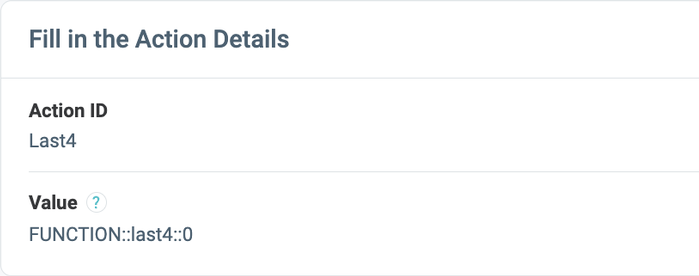
FUNCTION::last4::0 |
Keeps the last 4 characters |
Remove |
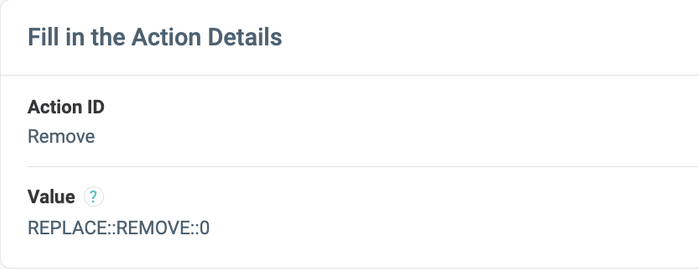
REPLACE::REMOVE::0 |
Deleted from the object |
Null |
REPLACE::NULL::0 |
Becomes null (not used by the example Policies) |
View |
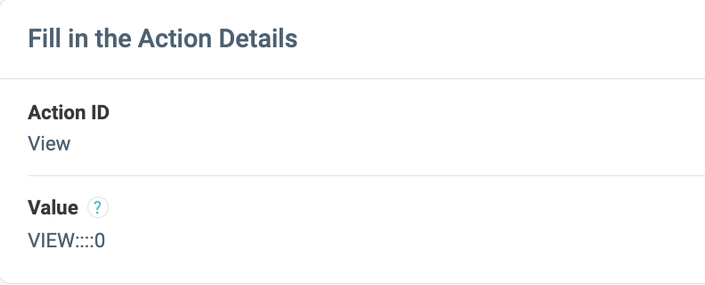
VIEW::::0 |
Shown as is |
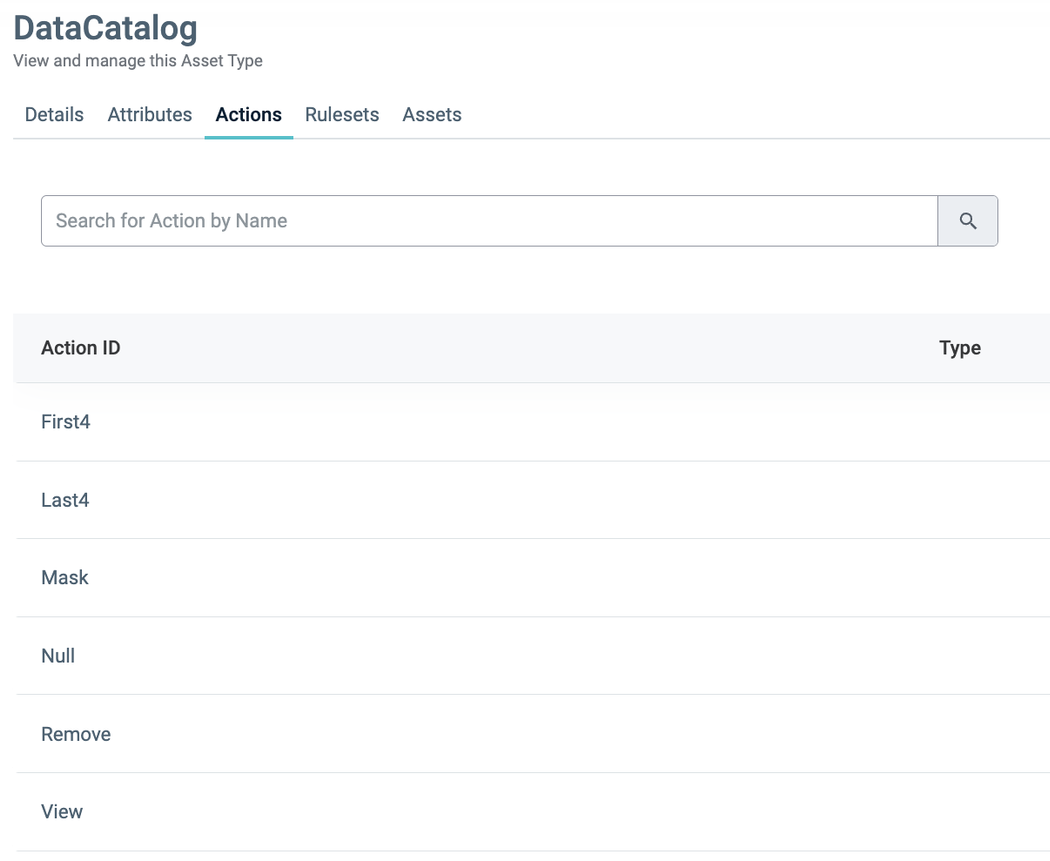
Mask Value:
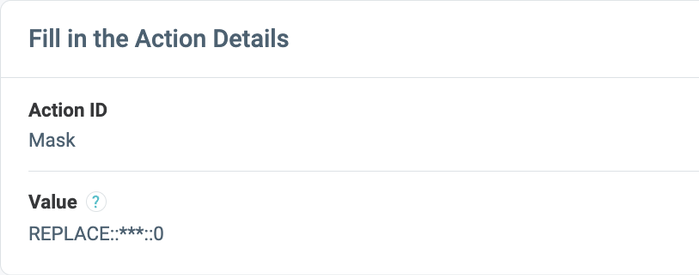
First4:
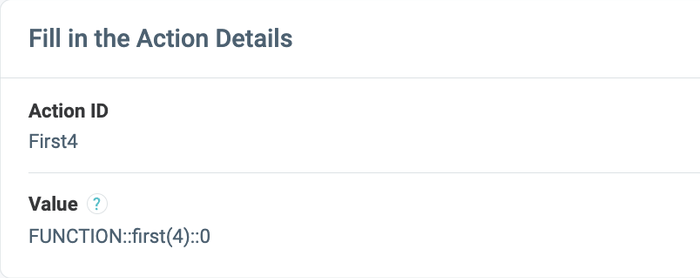
Last4:
Remove:
View:
Step 4: Add the Catalog Assets
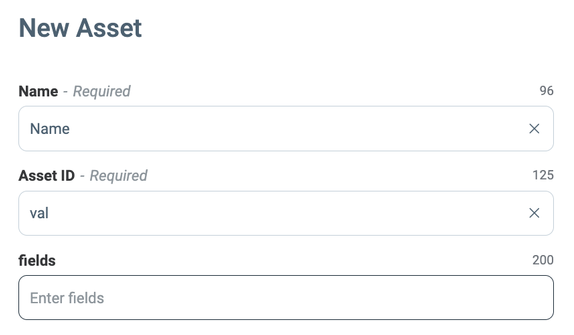
In your Policies Workspace, open Assets > + Add New Asset and create one Asset per property. Replace the defaults: put the property path in Asset ID and in fields. The Name is a label.
Adding a new Asset:
| Asset ID (property path) | Masked with |
|---|---|
email, balance |
Mask |
customerId |
First4 |
internalNote |
Remove |
id, country, address.city |
View |
cardNumber |
Last4, US accounts only |
address, address.zip |
Not used by the example Policies |
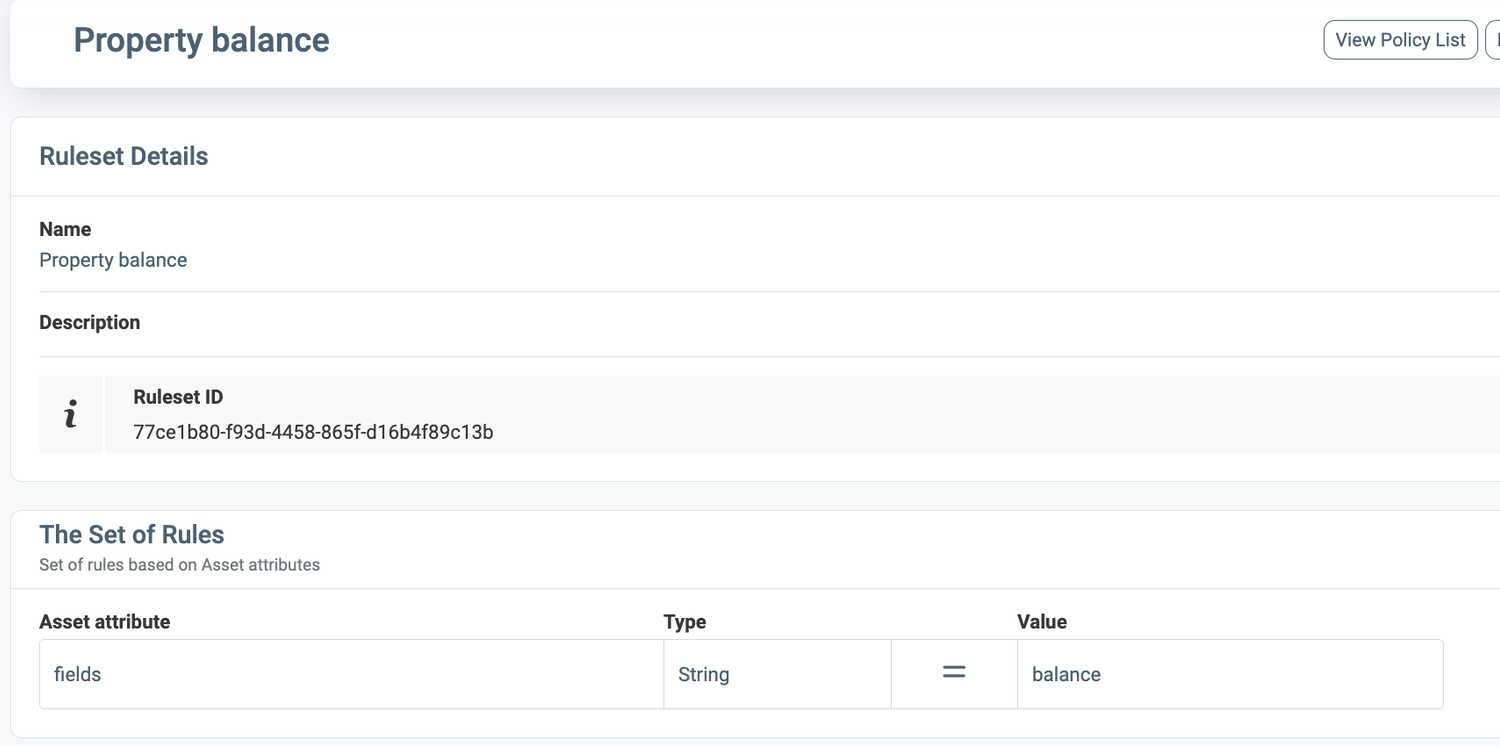
Step 5: Create the Rulesets
| Asset Type | Ruleset | Rule |
|---|---|---|
JsonAccounts |
Accounts in IL or GR | country IN (IL, GR) |
JsonAccounts |
Accounts in GR | country = GR |
JsonAccounts |
Accounts in US | country = US |
JsonAccounts |
All | Predefined: every object |
DataCatalog |
Property <path>, one per property |
fields = <path>, for example fields = balance |
Creating a Ruleset:
Step 6: Create the Policies
| Policy | Access type | What | Result |
|---|---|---|---|
| Accounts - allow IL and GR | Allow | JsonAccounts: Accounts in IL or GR, ACCESS | Allow tree |
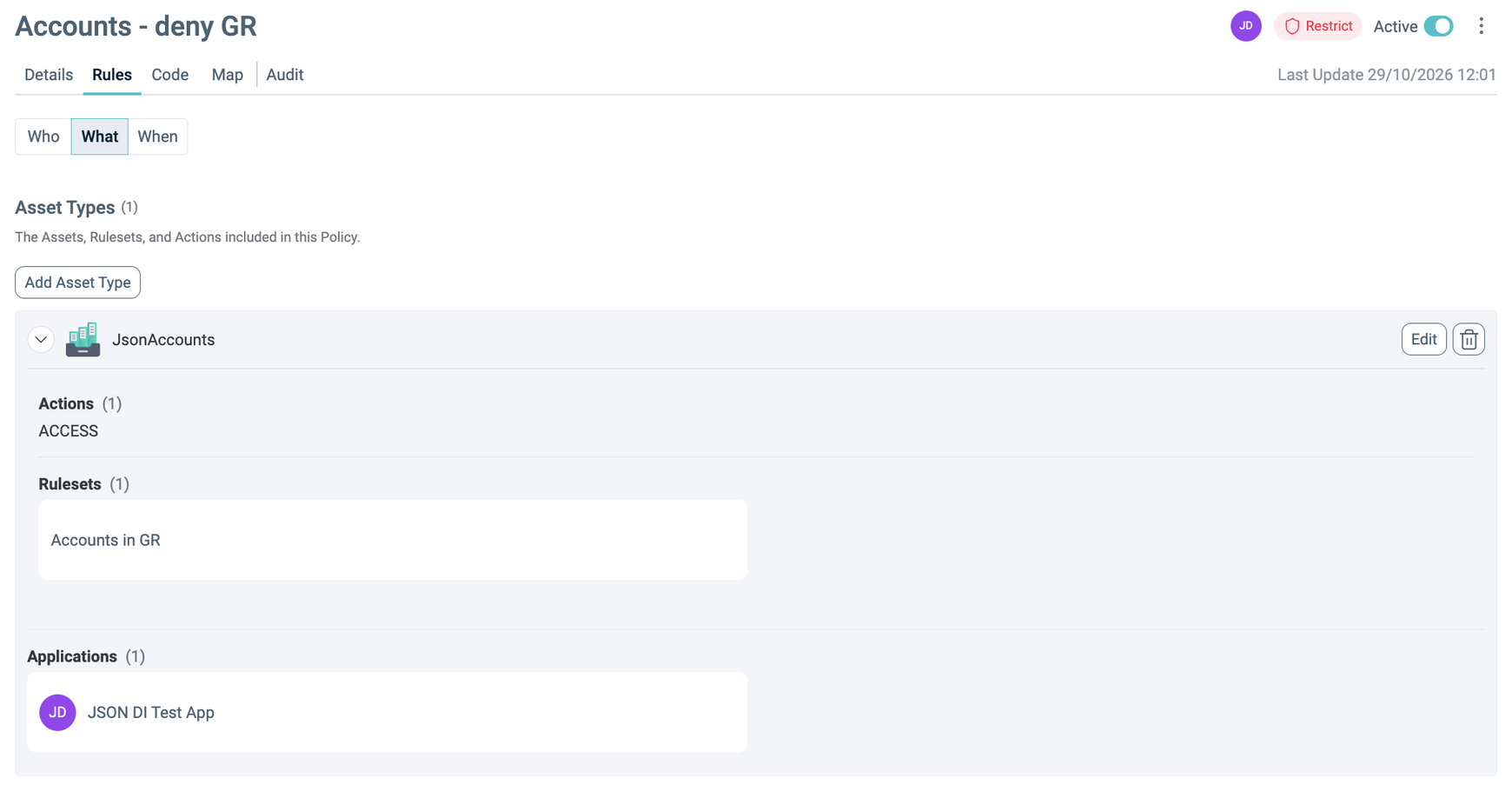
| Accounts - deny GR | Deny (Restrict) | JsonAccounts: Accounts in GR, ACCESS | Deny tree |
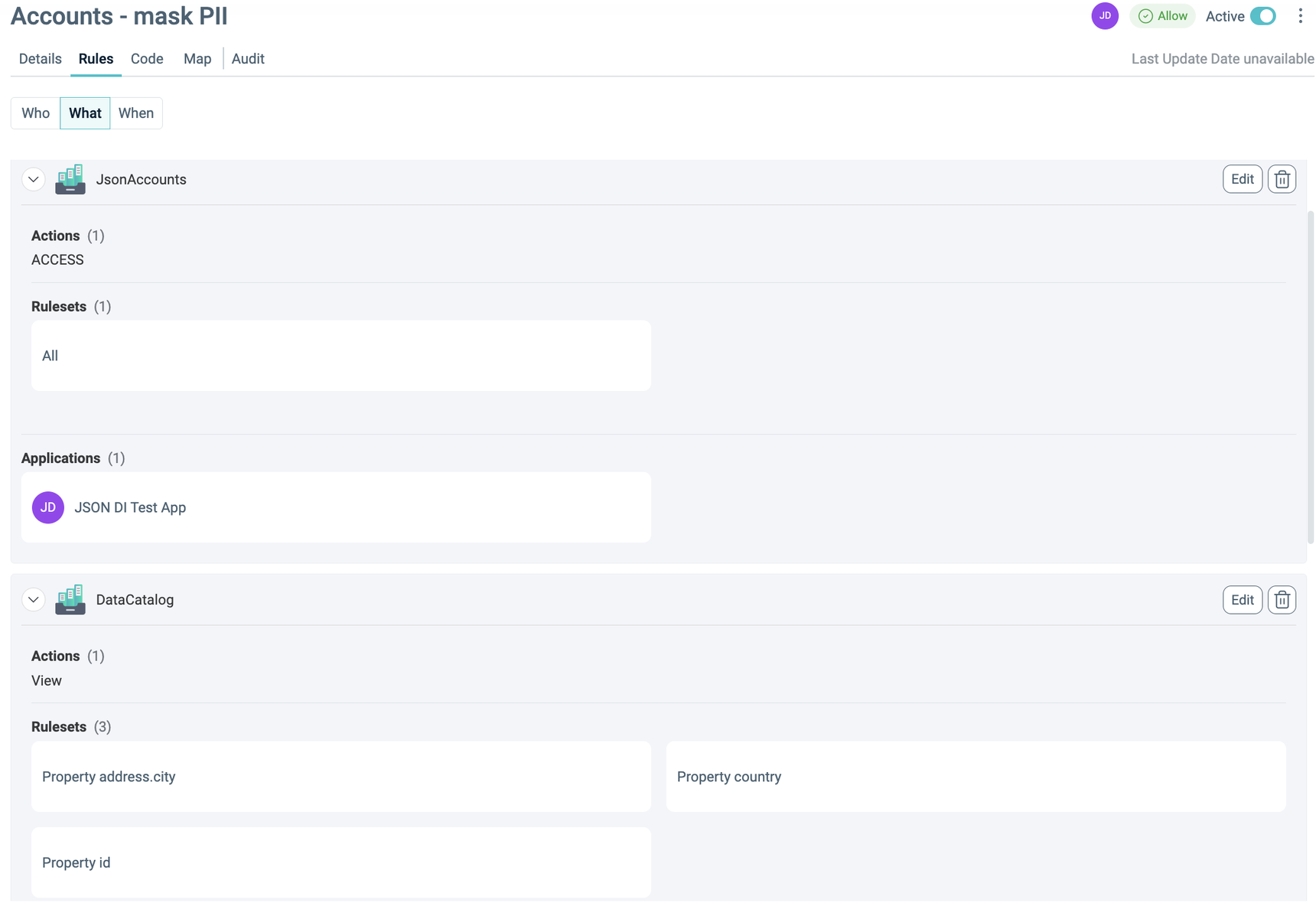
| Accounts - mask PII | Allow | JsonAccounts: All, ACCESS. DataCatalog: email, balance with Mask; customerId with First4; internalNote with Remove; id, country, address.city with View | Unconditional instructions |
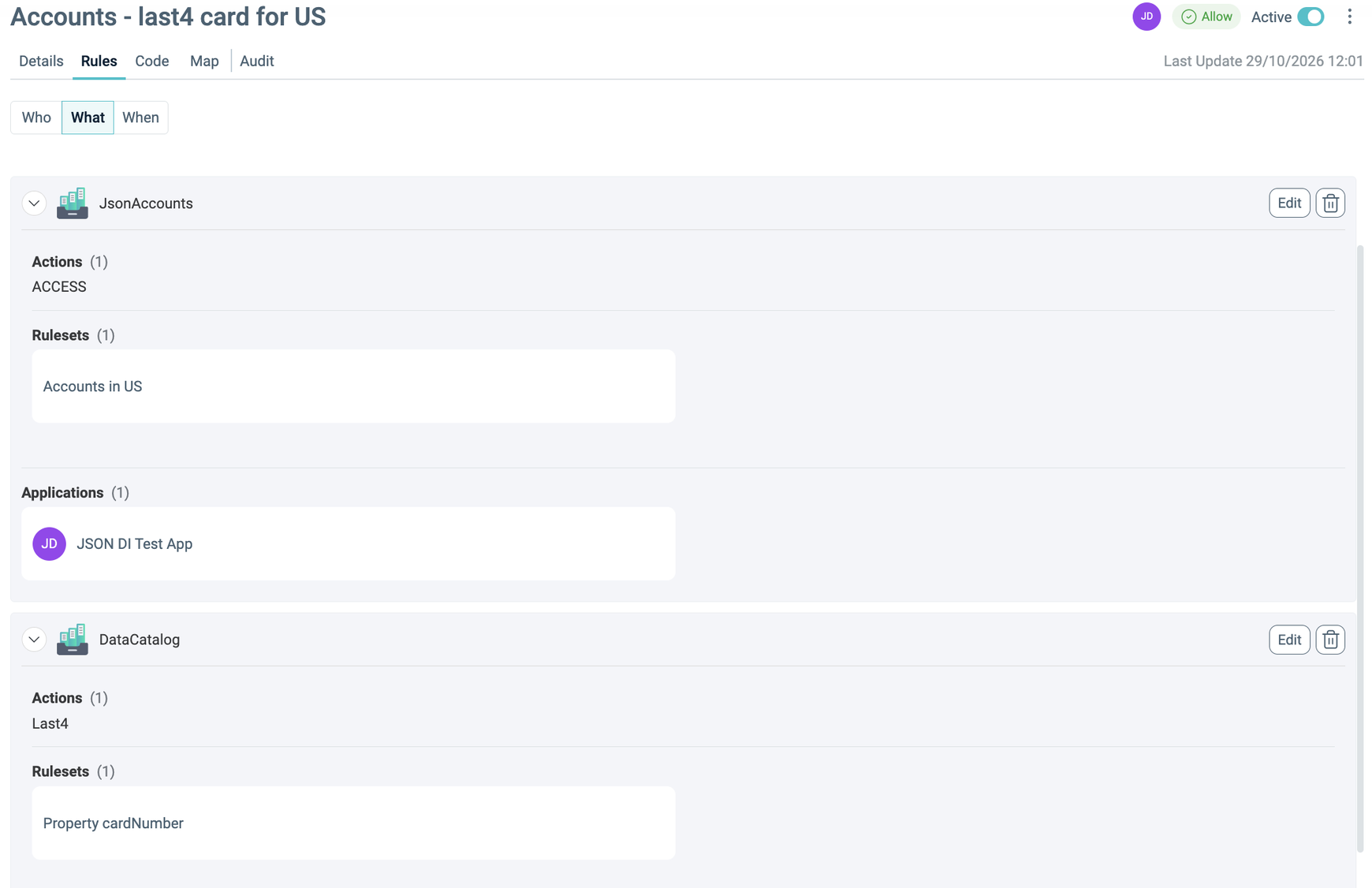
| Accounts - last4 card for US | Allow | JsonAccounts: Accounts in US, ACCESS. DataCatalog: Property cardNumber with Last4 | Instruction with the condition country = US |
For each Policy, open Policies > +, set the name, the access type, and the Application, and choose who it applies to. Under What, add JsonAccounts with its Ruleset and the ACCESS Action. For a masking Policy, also add DataCatalog with the property Rulesets (or Assets) and the masking Action, one block per Action. To create the same Policies with the Policy Import API, see Structured Rego.
The four Accounts Policies::
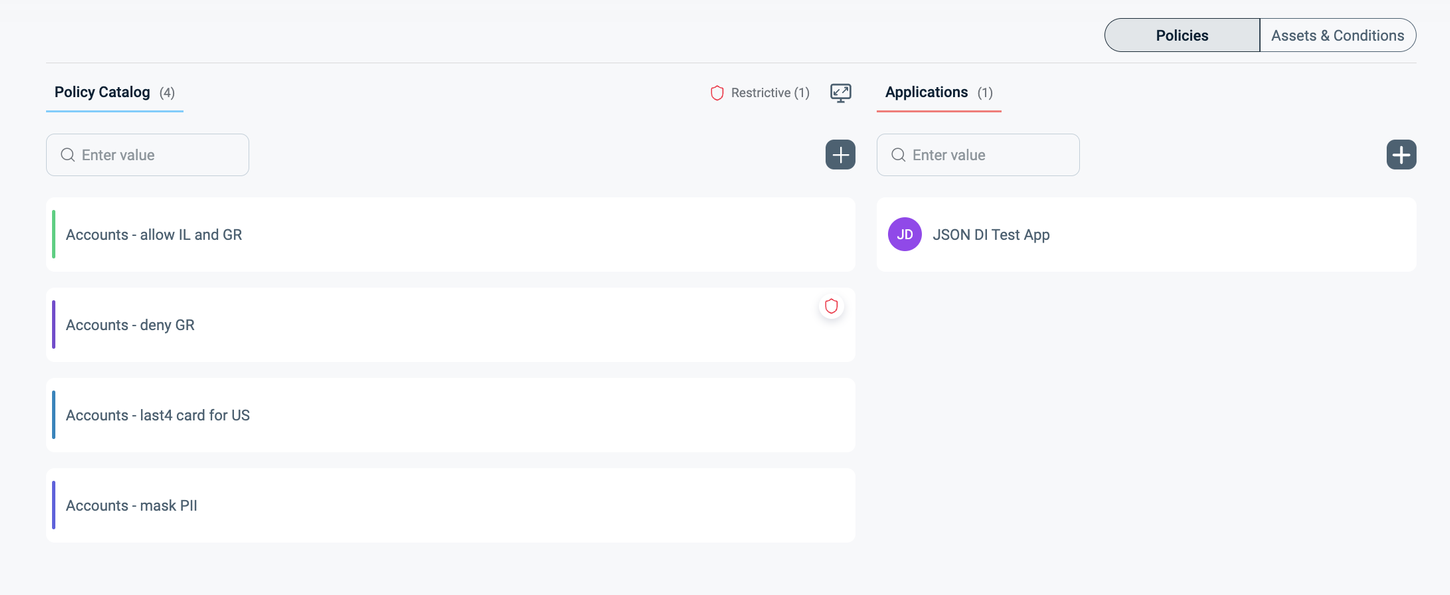
Accounts - allow IL and GR:
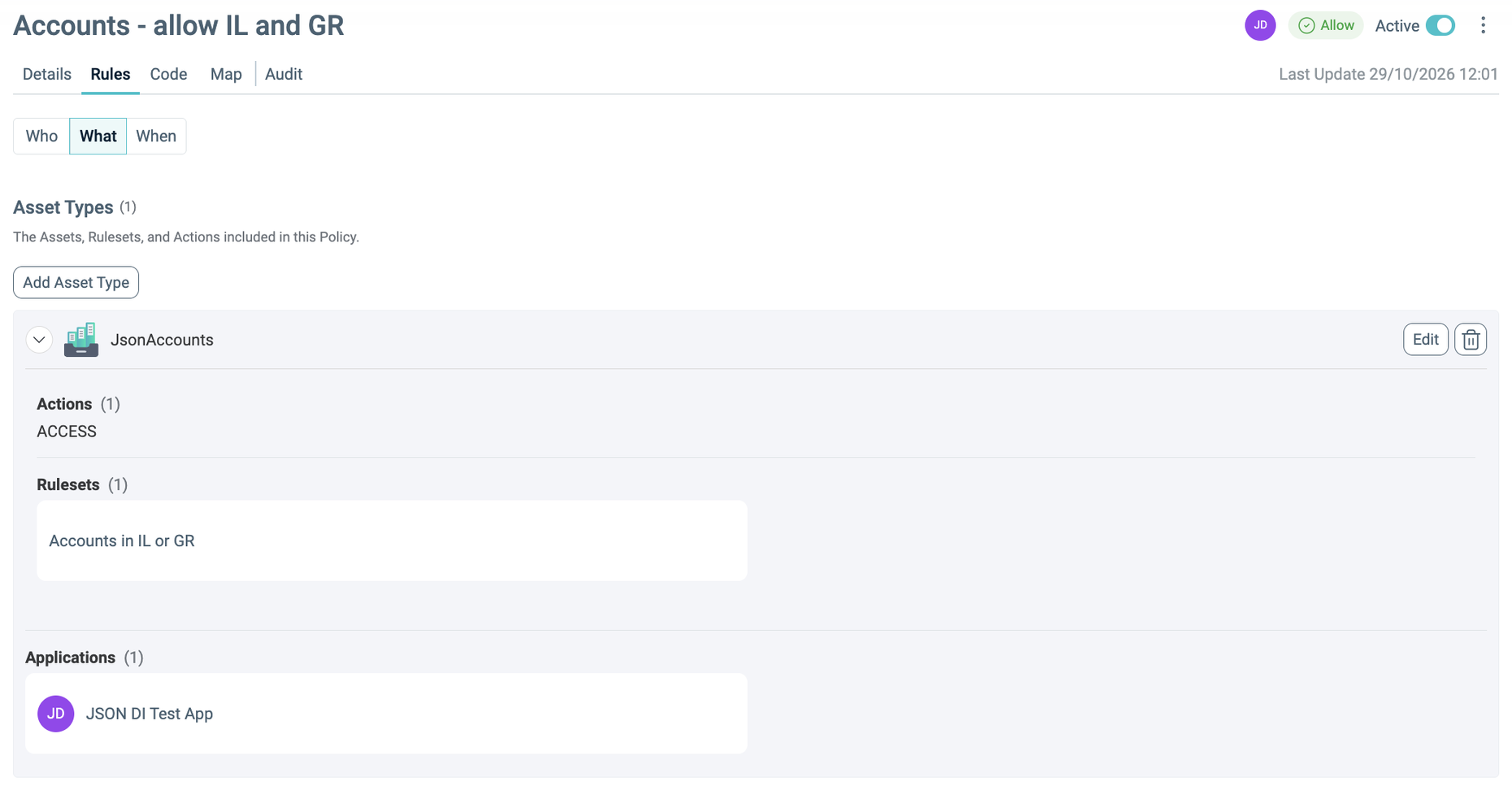
Accounts - deny GR: access type Restrict:
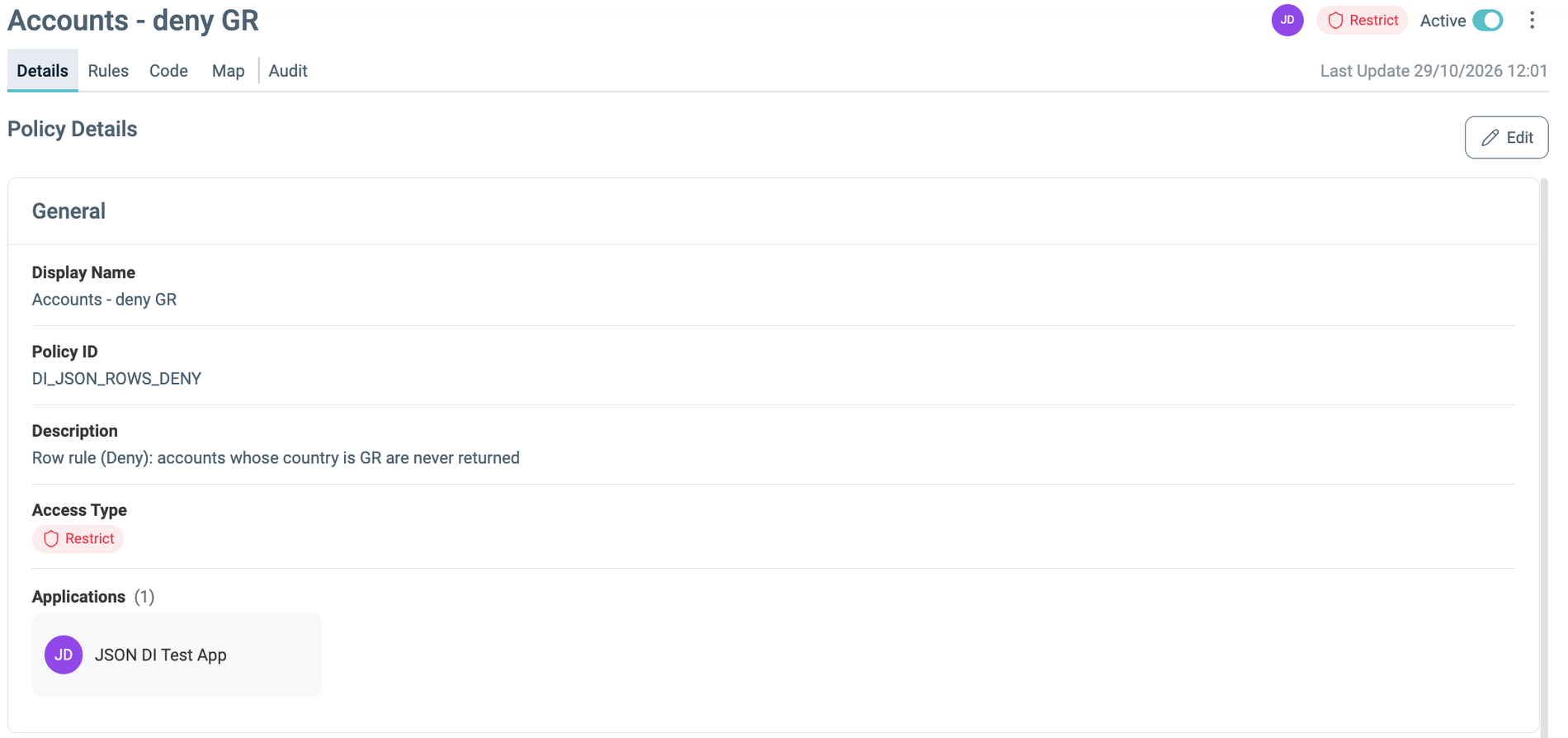
What: Ruleset Accounts in GR:
Accounts - mask PII:
Accounts - last4 card for US:
Step 7: Check the PDP Answer
Before you enforce, check what the PDP returns for JsonAccounts. For any user, the four Policies produce:
{
  "response": [
    {
      "fullyQualifiedPath": "JsonAccounts",
      "policies": ["DI_JSON_COND_MASK", "DI_JSON_ROWS_ALLOW", "DI_JSON_MASKING", "DI_JSON_ROWS_DENY"],
      "dataEnforcementInstructions": [
        {"properties": ["cardNumber"], "operation": "FUNCTION", "value": "last4", "priority": 0,
         "condition": {"OR": [{"OR": [{"AND": [{"attribute": "country", "type": "STRING",
           "operator": "EQUALS", "values": ["US"], "match": "any"}]}]}]}},
        {"properties": ["customerId"], "operation": "FUNCTION", "value": "first(4)", "priority": 0,
         "condition": {"OR": [{"AND": [{"operator": "ALL"}]}]}},
        {"properties": ["balance", "email"], "operation": "REPLACE", "value": "***", "priority": 0,
         "condition": {"OR": [{"AND": [{"operator": "ALL"}]}]}},
        {"properties": ["internalNote"], "operation": "REPLACE", "value": "REMOVE", "priority": 0,
         "condition": {"OR": [{"AND": [{"operator": "ALL"}]}]}},
        {"properties": ["address.city", "country", "id"], "operation": "VIEW", "value": "", "priority": 0,
         "condition": {"OR": [{"AND": [{"operator": "ALL"}]}]}}
      ],
      "dataObjectInstructions": {
        "allow": {"OR": [{"OR": [{"AND": [{"attribute": "country", "type": "STRING",
          "operator": "IN", "values": ["GR", "IL"], "match": "any"}]}]}]},
        "deny": {"OR": [{"OR": [{"AND": [{"attribute": "country", "type": "STRING",
          "operator": "EQUALS", "values": ["GR"], "match": "any"}]}]}]}
      }
    }
  ]
}
- The two masking Policies became
dataEnforcementInstructions. All became the conditionALL, and Accounts in US became acountry EQUALS UScondition on thecardNumberinstruction. - The two row Policies became the allow tree (
country IN IL, GR) and the deny tree (country EQUALS GR).
Enforce with leastPrivileges: false
Step 8: A Single Account
The whole payload is one data object, so the request needs no root.
curl -s -X POST http://localhost:5002/enforce -H 'Content-Type: application/json' -d '{
  "parameters": { "calculationType": "dataInstructions" },
  "plainID": { "entityTypeId": "User", "entityId": "testuser1",
    "clientId": "<id>", "clientSecret": "<secret>",
    "environment": { "resourceFullPath": ["JsonAccounts"] } },
  "json": { "customerId": "ABCDEFGHJK", "email": "a@b.c", "balance": 200,
    "cardNumber": "1234567890123456", "internalNote": "internal-only text", "country": "IL" }
}'
Response:
{
  "customerId": "ABCD******",
  "email": "***",
  "balance": "***",
  "cardNumber": "1234567890123456",
  "country": "IL"
}
emailandbalancebecame"***": REPLACE writes a string, also over a number.customerIdwent throughfirst(4),internalNotewas removed, andcountryis visible.cardNumberhas no instruction for an IL account, so default mode returns it unchanged.
Step 9: Conditional Masking on a US Account
Send the request of step 8 with "country": "US". The condition of Accounts - last4 card for US now matches.
{
  "customerId": "ABCD******",
  "email": "***",
  "balance": "***",
  "cardNumber": "************3456",
  "country": "US"
}
Step 10: Row Rules on an Array of Accounts
Send three accounts, one per country, under accounts, and set "root": "accounts" so that each element is one data object.
Payload:
{
  "accounts": [
    {"id": 1, "country": "IL", "email": "il@x.com", "customerId": "IL00000001", "balance": 100,
     "cardNumber": "1111222233334444", "vip": true, "address": {"city": "TLV", "zip": "61000"}},
    {"id": 2, "country": "GR", "email": "gr@x.com", "customerId": "GR00000002", "balance": 200,
     "cardNumber": "5555666677778888", "vip": false, "address": {"city": "ATH", "zip": "10431"}},
    {"id": 3, "country": "US", "email": "us@x.com", "customerId": "US00000003", "balance": 300,
     "cardNumber": "9999000011112222", "vip": true, "address": {"city": "NYC", "zip": "10001"}}
  ]
}
Response:
{
  "accounts": [
    {"id": 1, "country": "IL", "email": "***", "customerId": "IL00******", "balance": "***",
     "cardNumber": "1111222233334444", "vip": true, "address": {"city": "TLV", "zip": "61000"}},
    {"id": 3, "country": "US", "email": "***", "customerId": "US00******", "balance": "***",
     "cardNumber": "************2222", "vip": true, "address": {"city": "NYC", "zip": "10001"}}
  ]
}
- The GR account is gone: it matches the deny tree.
- The US account stays: in default mode the Authorizer does not read the allow tree.
- The Authorizer masks each remaining account on its own: the US
cardNumbershows its last 4 digits, and the IL one is unchanged. vipandaddress.ziphave no instruction and are returned unchanged.
Step 11: A Single Account That Matches Deny
Send the request of step 8 with "country": "GR". The Authorizer never removes a single-object target; when deny matches it, the Authorizer masks it as a whole.
{
  "customerId": "***",
  "email": "***",
  "balance": "***",
  "cardNumber": "***",
  "country": "***"
}
The instructions run first, so internalNote is removed. Then every remaining property gets its type default, even country, which has a VIEW instruction.
Step 12: Nested Objects and Arrays
Send an account with a nested object (address.geo), an object with no instruction inside (profile), an array of objects (history), and scalars of every type. Keep "root": "accounts".
{
  "accounts": [
    {
      "id": 7, "country": "IL", "email": "dana@x.com", "score": 7.5, "active": true, "note": null,
      "address": {"city": "Haifa", "zip": "3100", "geo": {"lat": 32.8, "lon": 35.0}},
      "profile": {"nickname": "dana", "tags": ["gold", "early"]},
      "history": [{"date": "2026-01-01", "amount": 50}, {"date": "2026-02-01", "amount": 70}]
    }
  ]
}
In default mode only email changes to "***". Every property without an instruction is returned unchanged.
Enforce with leastPrivileges: true
Step 13: Switch to Deny by Default
Set leastPrivileges: true, restart the Authorizer, and send the requests of steps 8 to 12 again. Now the Authorizer returns only what a Policy grants.
| Step | leastPrivileges: false |
leastPrivileges: true |
|---|---|---|
| 8: Single IL account | cardNumber unchanged |
cardNumber becomes "***": no Policy grants it |
| 9: Single US account | Same result: every property has an instruction | Same result |
| 10: Array of accounts | IL and US | IL only: US does not match the allow tree. Properties without an instruction get their type defaults. |
| 11: Single GR account | Masked as a whole | Same result |
| 12: Nested record | Only email masked |
Container rules apply (below) |
Step 8 response:
{
  "customerId": "ABCD******",
  "email": "***",
  "balance": "***",
  "cardNumber": "***",
  "country": "IL"
}
Step 10 response:
{
  "accounts": [
    {"id": 1, "country": "IL", "email": "***", "customerId": "IL00******", "balance": "***",
     "cardNumber": "***", "vip": false, "address": {"city": "TLV", "zip": "***"}}
  ]
}
cardNumber becomes "***" because the last4 instruction applies only to US, vip becomes false, and address.zip becomes "***".
Step 12 response:
{
  "accounts": [
    {
      "id": 7, "country": "IL", "email": "***", "score": 0, "active": false, "note": null,
      "address": {"city": "Haifa", "zip": "***", "geo": null},
      "profile": null,
      "history": null
    }
  ]
}
addressstays becauseaddress.cityhas a VIEW instruction. Inside it,zipgets the string default, andgeo, a container with no instruction, becomesnull.profileandhistoryhold no instruction and becomenull.scorebecomes0,activebecomesfalse, andnotestaysnull.